Embeddable Widget
Add an AI chat widget to any website with a single script tag. No build step, no dependencies — just paste and go.
Overview
The embeddable widget lets you add a chat interface to any website. Visitors can talk to your AI employee directly from your site without leaving the page. The widget loads asynchronously and appears as a floating chat bubble in the corner.
Getting the Snippet
The widget snippet is generated from the API Key dialog. Navigate to your agent's API Keys page and open the Widget tab (selected by default). The snippet is pre-filled with your agent ID and API key.
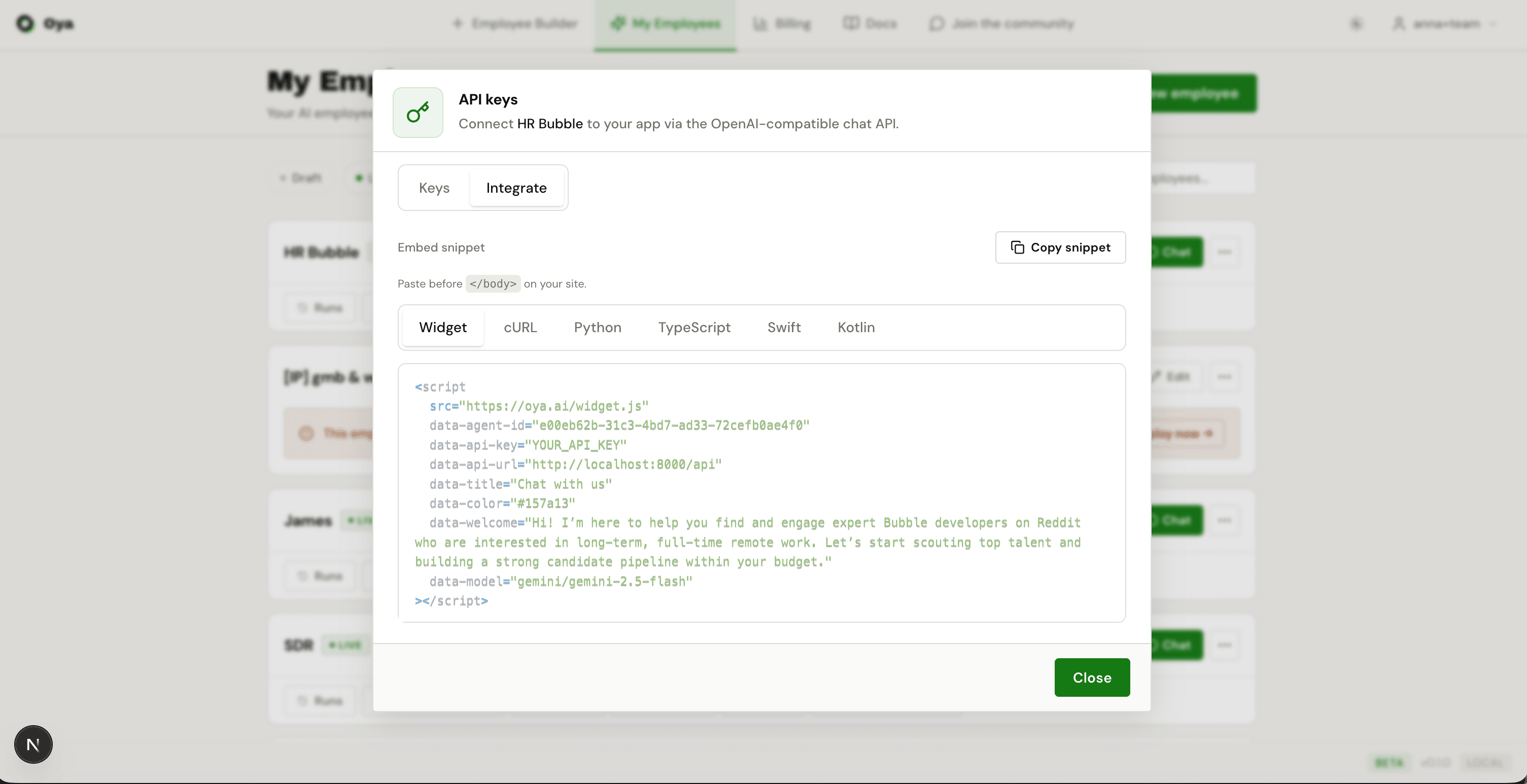
Configuration Attributes
The widget script tag supports these data attributes:
- data-agent-id — (Required) Your agent’s unique ID
- data-api-key — (Required) Your API key for authentication
- data-api-url — The API base URL (defaults to the Oya production URL)
- data-title — Custom title shown in the widget header
- data-color — Primary color for the widget theme (hex code)
- data-welcome — Custom welcome message displayed when the widget opens
- data-model — Chat model to use (defaults to gemini/gemini-2.5-flash). Options: gemini/gemini-2.0-flash, gemini/gemini-2.5-flash, gemini/gemini-2.5-pro, gemini/gemini-3-flash-preview, gemini/gemini-3-pro-preview, anthropic/claude-sonnet-4-6, anthropic/claude-haiku-4-5-20251001
Installation
Paste the script tag before the closing body tag of your HTML page. It works with any website or CMS — WordPress, Shopify, Webflow, static HTML, etc.
<!-- Oya Chat Widget -->
<script
  src="https://oya.ai/widget.js"
  data-agent-id="your-agent-id"
  data-api-key="a2a_your_key_here"
  data-title="Support Assistant"
  data-color="#6366f1"
  data-welcome="Hi! How can I help you today?"
  data-model="gemini/gemini-2.5-flash"
></script>Customization
Next.js Integration
For Next.js apps, use the Script component for optimal loading:
import Script from 'next/script';

export default function Layout({ children }) {
  return (
    <>
      {children}
      <Script
        src="https://oya.ai/widget.js"
        data-agent-id="your-agent-id"
        data-api-key="a2a_your_key_here"
        strategy="lazyOnload"
      />
    </>
  );
}