Knowledge Base
Upload documents and URLs that your OAgents can search semantically when answering questions. Qdrant vector search with FastEmbed (BAAI/bge-small-en-v1.5) embeddings.
Overview
Out of the box, your OAgent only knows what its LLM was trained on. The knowledge base bridges that gap: upload your own documents, FAQs, or internal wikis so the OAgent can answer questions grounded in your data instead of general knowledge.
When a user asks a question, the OAgent searches the knowledge base semantically and uses the most relevant content as context for its response. This means answers stay accurate, up-to-date, and specific to your domain.
Uploading Files
Use the drag-and-drop zone or click to browse your file system. Oya extracts the text content from each file and indexes it automatically. Supported formats:
- DOCX
- CSV
- TXT
- Markdown
- JSON
- Code files (Python, JavaScript, and more)
The maximum file size is 10 MB per file.
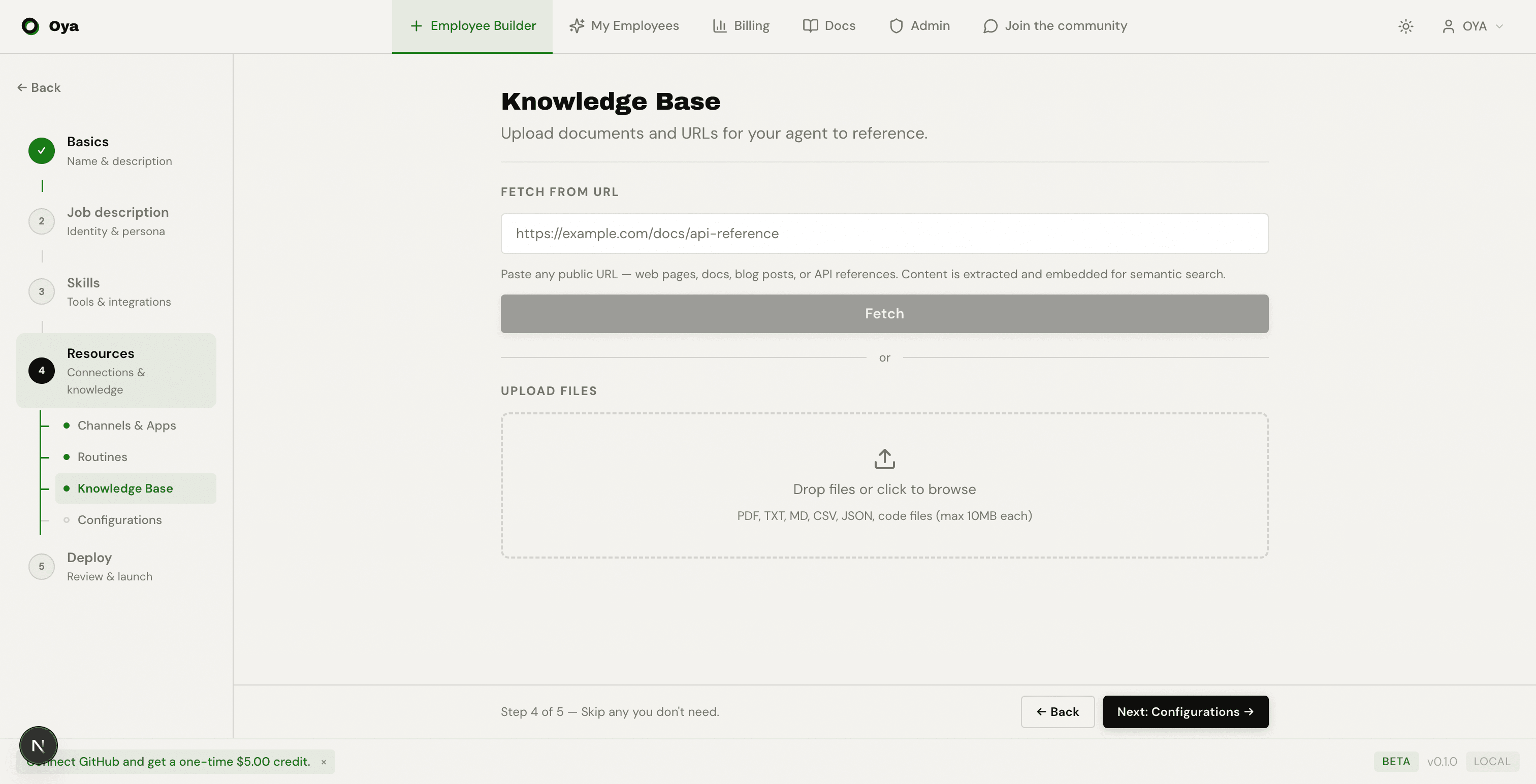
Importing URLs
Paste a URL and Oya automatically fetches the page content, extracts the text, and creates a knowledge base entry from it.
Assigning to Agents
Knowledge base folders are assigned on a per-agent basis inside the Resources step of the Agent Builder, under the Knowledge Base tab.
Only OAgents that have a folder assigned can search its contents. This keeps knowledge scoped to the OAgents that need it and avoids cross-contamination between different use cases.
Content Preview
Click any uploaded file to preview its extracted text content in a dialog. This lets you review exactly what the OAgent will search against and verify that parsing produced the expected output.
How Semantic Search Works
Oya uses Qdrant vector search with FastEmbed embeddings (the BAAI/bge-small-en-v1.5 model). When a user asks a question, the query is embedded into a vector and matched against stored document chunks using cosine similarity.
- Documents are chunked into passages
- Each chunk is embedded into a vector
- Queries are embedded and matched by cosine similarity
- Top matching chunks are returned as context for the LLM